Version 2.2.1 photo 1 Version 2.2.1 photo 2 Version 2.2.1 photo 3 Version 2.2.1 photo 4 Version 2.2.1 photo 5

VirtualSociety

  • Characters and NPCs
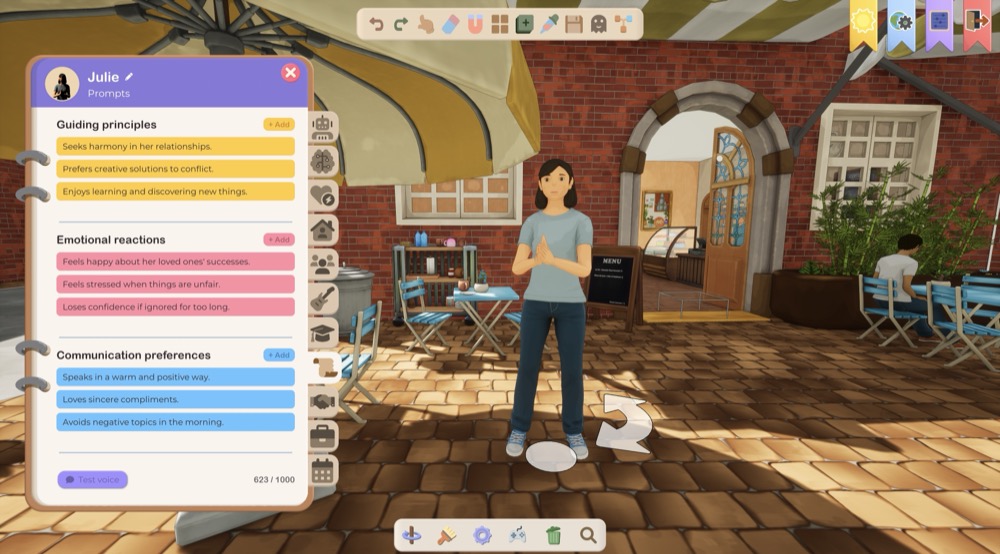
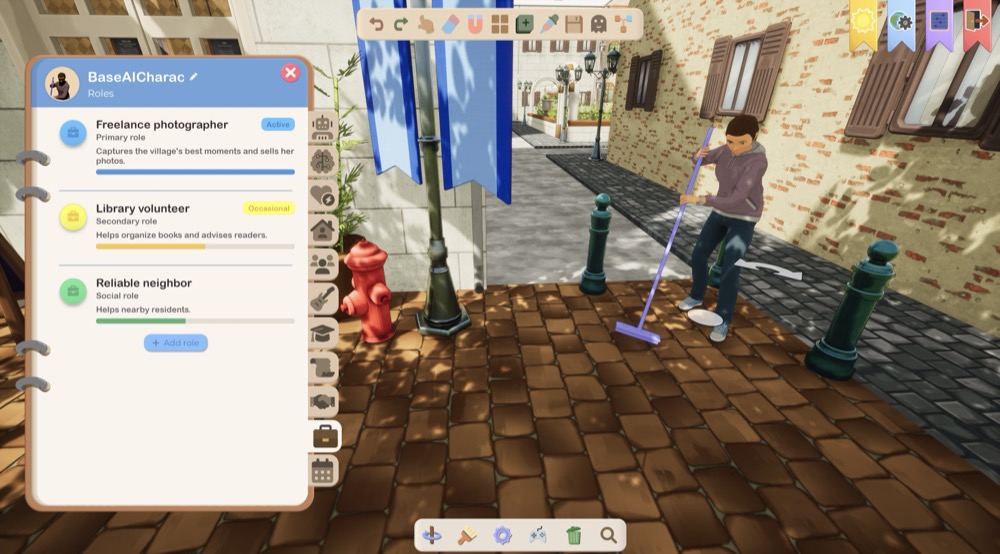
    • NPC Editor
      • New notebook-style layout
      • Added a detailed profile with an avatar and character traits
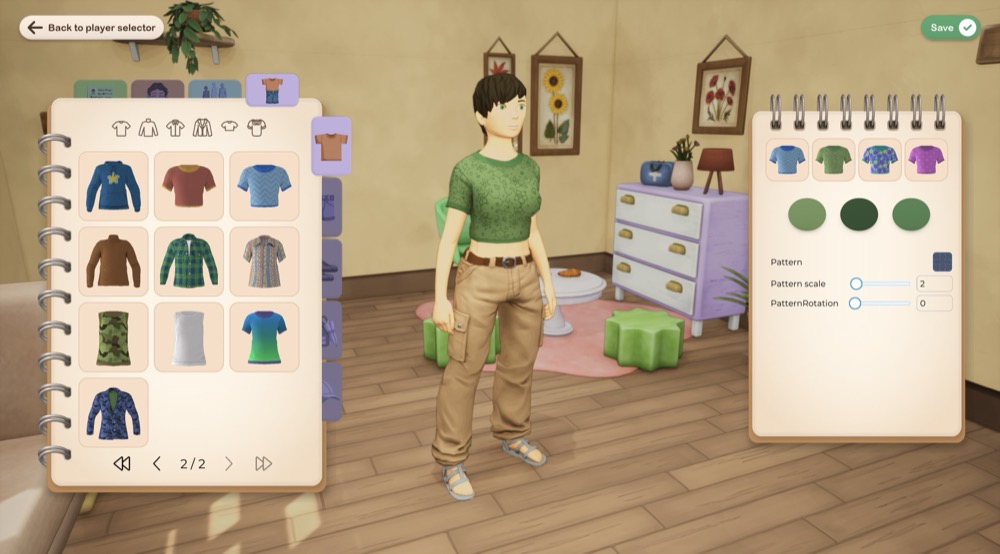
    • Outfit Editor
      • Improved camera, zoom, and navigation around the character
      • The character portrait is now automatically updated after editing
      • Improved morph controls displayed directly on the character
      • Mobile joysticks are now disabled while editing outfits
      • Improved character appearance editing
      • Added new face and body morph parameters
      • New scene for the Appearance Editor
    • Rendering
      • Improved toon shading for skin and eyes
      • Added subsurface rendering for skin
      • Improved materials and their metallic parameters
    • Animations
      • Fixed looping animations
      • Improved upper-body animations while a character is seated
      • Fixed characters becoming stuck when sitting while crouched
      • Fixed aiming and obstacle detection while seated
      • IK is now disabled while a character is seated
      • Fixed interaction indicators on seated characters
  • Game modes and interactions
    • God mode
      • New control mode with a free aerial camera
      • Players and NPCs can now be selected
      • Characters can be instructed to move to a location
      • Characters can be instructed to use an interaction
      • Displays a profile for the selected character
      • Camera movement using the keyboard, mouse, and screen edges
  • World Editor
    • Lights
      • New tools for adding Point Lights, Spot Lights, and Rect Lights
      • Lights can now be moved and rotated
      • Color, intensity, and range can now be edited
      • Color temperature settings
      • Spotlight angle settings
      • Advanced settings for shadows, source size, indirect lighting, and volumetric scattering
      • Added a visual representation of light direction
      • Lights are now saved in worlds
    • Saving
      • New save button in the toolbar
      • Added the Ctrl+S shortcut
      • A progress indicator is now displayed while saving
      • Confirmation is now requested before exiting with unsaved changes
      • New option to automatically save the world when exiting the editor
    • Tools
      • New ghost mode allowing the camera to pass through objects
      • Improved room detection and editing
      • Improved detection of interior walls and floors
      • An upper floor can now be created directly from a room
      • Improved room movement and resizing
      • Operations performed on rooms are now better supported by undo and redo
    • Spawn points
      • Spawn points are now editable objects within the world
      • Each spawn point can now be moved, rotated, and configured
      • Added interaction support for spawn points
      • Improved spawn point saving and loading
    • Interactions
      • New interaction selection panel
      • Search through available interactions
      • Interaction graphs can now be opened directly from the editor
      • Improved saving of graphs linked to objects
    • Interface
      • The Design panel now preserves the selected tab and scroll position
      • Improved the editor search field
      • Improved object categories and parameters
      • Fixed preset display
      • Added keyboard shortcuts to tooltips
  • Scenario / scripting
    • Node Editor
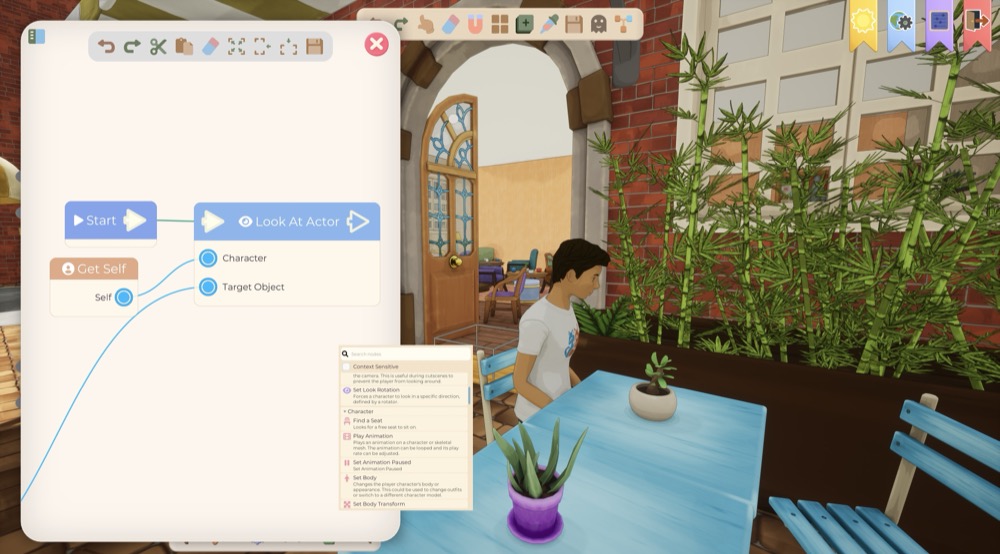
      • Visual redesign of the Graph Editor
      • Added dedicated icons and colors for the different node categories
      • New search field for quickly finding nodes
      • Improved the creation menu and Properties panel
      • Improved graph framing and navigation
      • Support for array inputs and dynamic pins
      • The OpenDialog node can now have a different output for each answer
    • New nodes
      • MakeArray
      • Speak
      • AND
      • OR
      • XOR
      • NOT
      • SetMobileControls
      • StartActivity
      • StopActivity
      • SpawnObject
      • GetName
      • SetObjectHidden
      • SetObjectCollision
    • Activities
      • New activity system for characters
      • Support for start, loop, and end animations
      • Support for animation events
      • Activities can now be stopped immediately
    • Node improvements
      • The Speak node synchronizes the character’s mouth with their voice
      • Added a scale parameter to the TakeObject node
      • Objects and effects created by a scenario can now be temporary or saved in the world
      • Objects and effects can now be spawned already hidden
      • Improved saving of references and actions embedded in interactions
  • Worlds and synchronization
    • Differences between local and remote versions of a world are now detected
    • The version to use can now be selected when a conflict is detected
    • Interactions and additional world files are now synchronized
    • Only modified files are uploaded
    • More reliable world downloads to prevent incomplete downloads from replacing local files
    • Improved duplication of worlds and their data
    • Fixed issues with world creation and loading
  • Interface and miscellaneous
    • New loading progress bar
    • Fixed and improved the loading screen
    • Added search fields to some drop-down lists
    • Improved the display of categories and parameter lists
    • Improved thumbnail generation
    • Fixed various navigation, scrolling, and focus issues
    • Various stability and performance improvements
No comment yet
You must be logged in to comment
Login